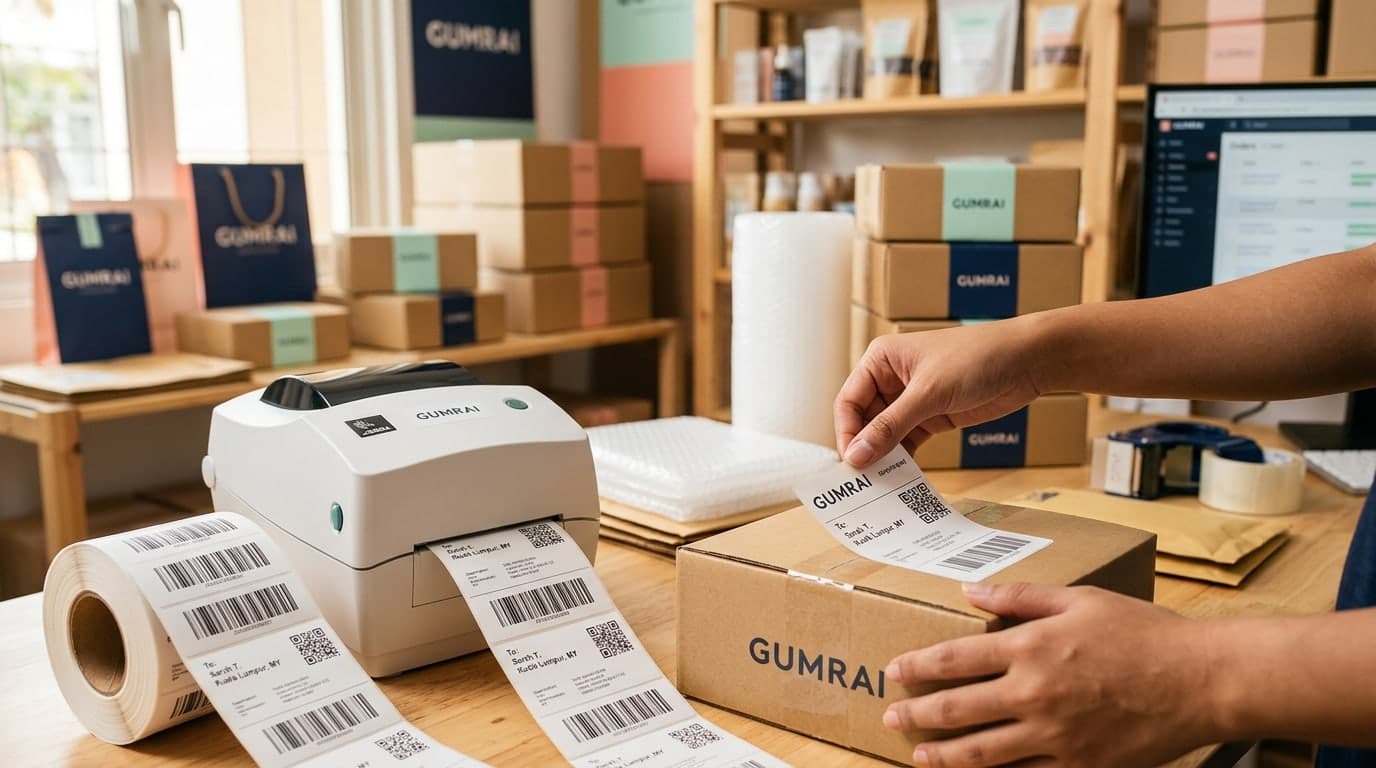
DIY Barcode Guide: How to Generate and Print Barcode Labels for Online Shop Inventory
Why Small and Medium Online Stores Need Barcodes
As your online store sales grow, backend fulfillment, packaging, and order processing become increasingly complex. Many small teams rely entirely on memory to pick items from shelves based on size, color, or label codes. Unfortunately, this manual practice leads to classic mistakes: shipping the wrong size, packing the wrong color variation, or updating stock sheets with incorrect counts.
Implementing a barcode system might seem like a complex, expensive project reserved for major enterprises. In reality, modern browser-based technology allows you to generate barcode labels for free and print stickers using affordable thermal printers. Integrating barcodes into your operation reduces human error, speeds up packing, and prepares your logistics for scaling.
Establishing Your Barcode Strategy: SKU Design and Coding Codes
Before generating a barcode layout, you must design a structured SKU (Stock Keeping Unit) naming scheme for your catalog. Consider these two common standards:
- Internal Store SKUs: If you sell exclusively through your own store or online channels, you can set custom alphanumeric rules. For example,
TSH-NAV-M-01(T-shirt, Navy, Medium, Version 01). Alphanumeric codes are best converted using the Code 128 format. - EAN-13 International Standards: If your products are sold in physical retail spaces, supermarkets, or distributed by external partners, you must register official 13-digit numbers with GS1 to ensure global uniqueness.
Common Barcode Formats Used in E-commerce
When selecting a barcode format for your online store, choose between these main standards:
- Code 128 (Recommended for Internal Logistics): A high-density linear format that encodes both letters and numbers. It is compact, robust, and readable by standard laser or mobile camera scanners.
- EAN-13 (Standard Retail Barcode): A 13-digit numeric code found on general consumer goods, packaging, and food items globally.
- QR Codes: A 2D matrix format that stores large amounts of text or URLs, ideal for directing customers to product manuals, digital menus, or payment pages.
Step-by-Step DIY Guide to Generate and Print Barcode Labels
Set up your warehouse label printing process on a budget with this simple workflow:
Step 1: Generate Barcodes Online via Gumrai
Skip expensive label design software. Use Gumrai's free browser-based tool to generate your layout:
- Open Gumrai's Barcode Generator in your browser.
- Select your preferred format (e.g., Code 128 for alphanumeric internal SKUs, or EAN-13 for numbers-only retail codes).
- Input your SKU code into the data field.
- The tool displays the barcode symbol instantly on your screen.
- Customize dimensions (width, height) and choose whether to display the human-readable text below the symbol.
- Click Export to download your barcode as a sharp SVG or PNG file.
Step 2: Configure Label Printing
Print your generated barcode graphics using one of these options:
- Direct Thermal Printers: The most efficient option. Thermal printers (like Xprinter or Phomemo) use heat to draw labels on rolls of sticky paper without expensive ink. Choose label sizes like 4x3 cm or 5x3 cm, import your barcode image into the printer app, and print.
- Standard Desktop Printers (A4 Layout): If you already own an inkjet or laser printer, purchase pre-cut adhesive A4 label sheets, align the barcode images using templates in Word or Canva, and print.
Step 3: Label Application and Scan Testing
Apply your stickers onto clean, flat surfaces on your packaging or product tags, avoiding folds or edges. Test the printed label using your smartphone camera or hand scanner to ensure readability before sorting inventory.
Real-World E-commerce Case Study
Scenario: "Gadget Asia," an online distributor, manages over 120 charger and cable variations. The team frequently picked wrong charger types due to similar plug shapes. By adopting the Code 128 format via Gumrai and printing stickers using an affordable thermal printer, packing errors dropped to 0% in the first month. Packers scan each item's barcode during assembly, and the system alerts them if the SKU does not match the order sheet.
Common DIY Labeling Mistakes to Avoid
- Low-Resolution Printing: Smudged lines or printheads with dust blocks can blur barcodes, making them unreadable to scanners.
Solution: Clean thermal printheads regularly and select larger barcode dimensions during export. - Applying Labels Over Package Corners: Curved barcodes distort line spacing and prevent lasers from reading the pattern correctly.
Solution: Place barcode stickers on smooth, flat areas of your packaging. - Invalid Format Inputs: Entering letters in EAN-13 fields leads to generation errors because the standard only supports numbers.
Solution: Match your input data to the format rules.
Frequently Asked Questions (FAQ)
1. Can I scan Gumrai-generated barcodes with existing inventory management software?
Yes. Gumrai exports barcodes in industry-standard formats. Scanners and inventory systems (such as Zort, Shipnity, or custom Excel sheets) read them normally.
2. Can I make up 13-digit numbers for EAN-13 barcodes?
Only if you use them internally. For external retail distribution, you must obtain official registered numbers from GS1 to prevent duplication conflicts.
3. Should I use barcodes or QR codes for small products?
QR codes are better for very small items because their 2D layout allows them to scale down to 1x1 cm, whereas linear barcodes require horizontal space.
Upgrading Your Fulfillment System on a Budget
Improving your order operations does not require heavy capital investment. Using free web utilities and implementing barcode tracking minimizes picking errors and speeds up packing.
Create your first barcode label today at Gumrai's Barcode Generator. For hardware tips, read our E-commerce Barcode Guide, or generate custom scan links using the QR Code Tool.
Want to set more accurate costs and selling prices?
Try Gumrai tools to calculate profit, set prices, and manage back-office tasks to make decisions faster.