01
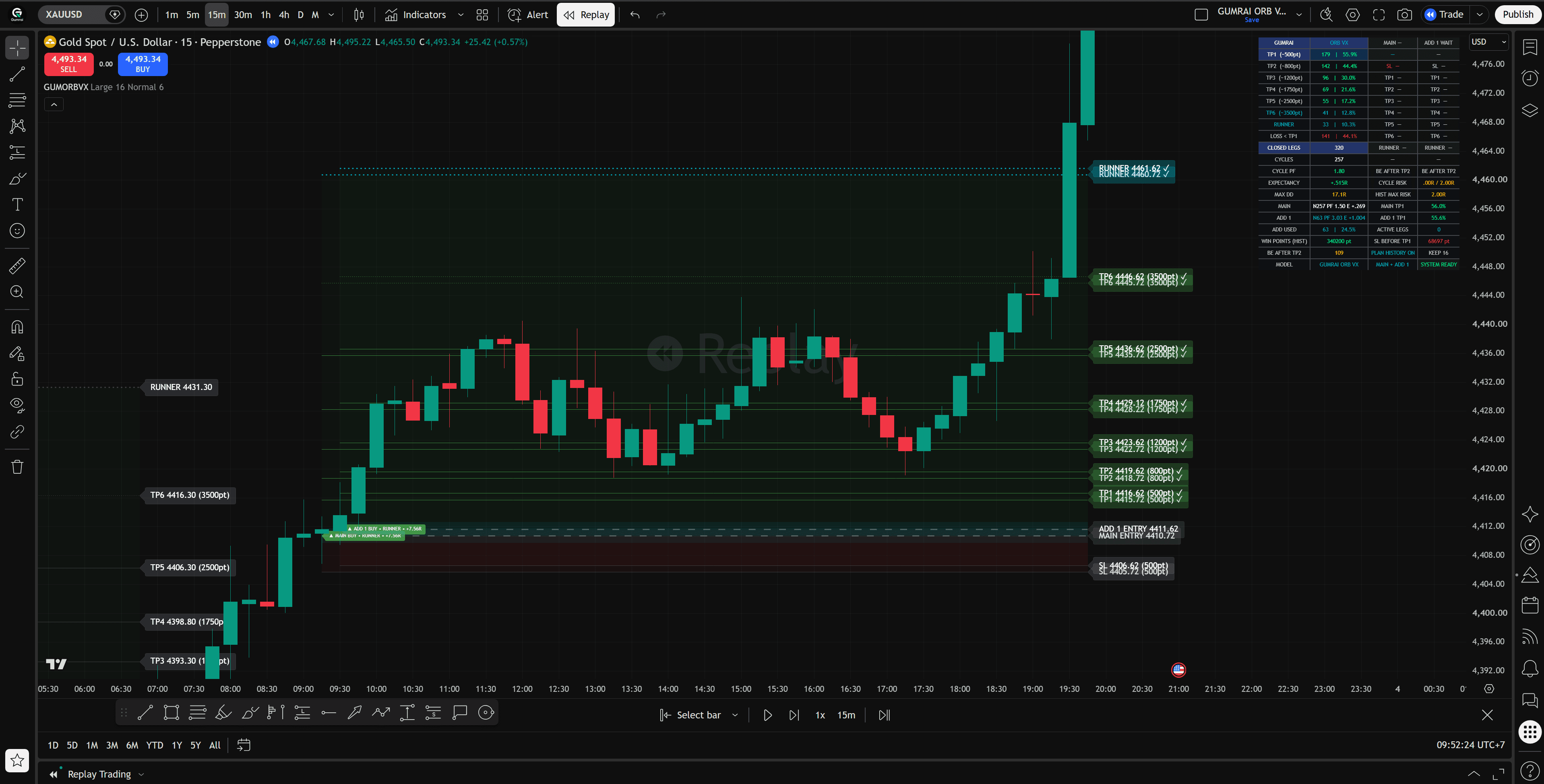
See the structure, not just entry
Entry Zone, System SL, TP1–TP6, and Runner appear together so the complete plan can be assessed before an order.
ABOUT GUMRAI
Gumrai turns qualified setups into readable price levels, states, and rules before a decision is made—on TradingView and MetaTrader 5.
WHY WE BUILD
A BUY or SELL label alone leaves important questions unanswered. Gumrai puts the Entry Zone, System SL, targets, and plan state in one context so the user can inspect the structure before deciding—not chase price without a risk boundary.
DESIGN PRINCIPLES
01
Entry Zone, System SL, TP1–TP6, and Runner appear together so the complete plan can be assessed before an order.
02
The Indicator presents and tracks the plan on TradingView. The EA reads broker data and manages MT5 orders under its own rules.
03
Chart data, historical observations, and Strategy Tester results are identified for what they are—not presented as universal live-account outcomes.
ONE IDEA · TWO WORKFLOWS
Planning and automated execution remain separate so the responsibility of each product stays easy to understand.

TRADINGVIEW INDICATOR
See MAIN + ADD 1, Entry Zone, System SL, TP1–TP6, Runner, and plan status on the chart. You review the context and place orders yourself.
View Indicator
METATRADER 5 EA
Manage MAIN + ADD 1, System SL, break-even, and scaled exits on MT5 under the system rules. You still set lot size and account risk.
View EACLEAR BOUNDARIES
EVIDENCE, NOT PROMISES
Historical observations, simulations, and live execution should not be collapsed into one claim because their data and account conditions differ.
Shows what the Indicator calculates from the loaded data and active settings
Examines rule behavior in past chart data—not profit booked in an account
Checks EA sequencing under Strategy Tester data and assumptions
Depends on entry price, spread, slippage, lot size, broker, and account management
WHAT GUMRAI IS — AND IS NOT
START WITH THE WORKFLOW
Compare the Indicator and EA, then start with the workflow you can understand and verify.