01
MAIN + ADD 1
One main position and one conditional add-on position
An automated execution system for MetaTrader 5
Automated MT5 execution driven by broker data and system rules, with timing kept clearly separate from Pine.
HOW IT WORKS
The EA works from MT5 account real ticks, so it should not be expected to enter at the same moment as Pine.
One main position and one conditional add-on position
System-calculated protection for each position
Protection adjusts after the TP2 condition is complete
Targets and remaining exposure are managed under EA rules
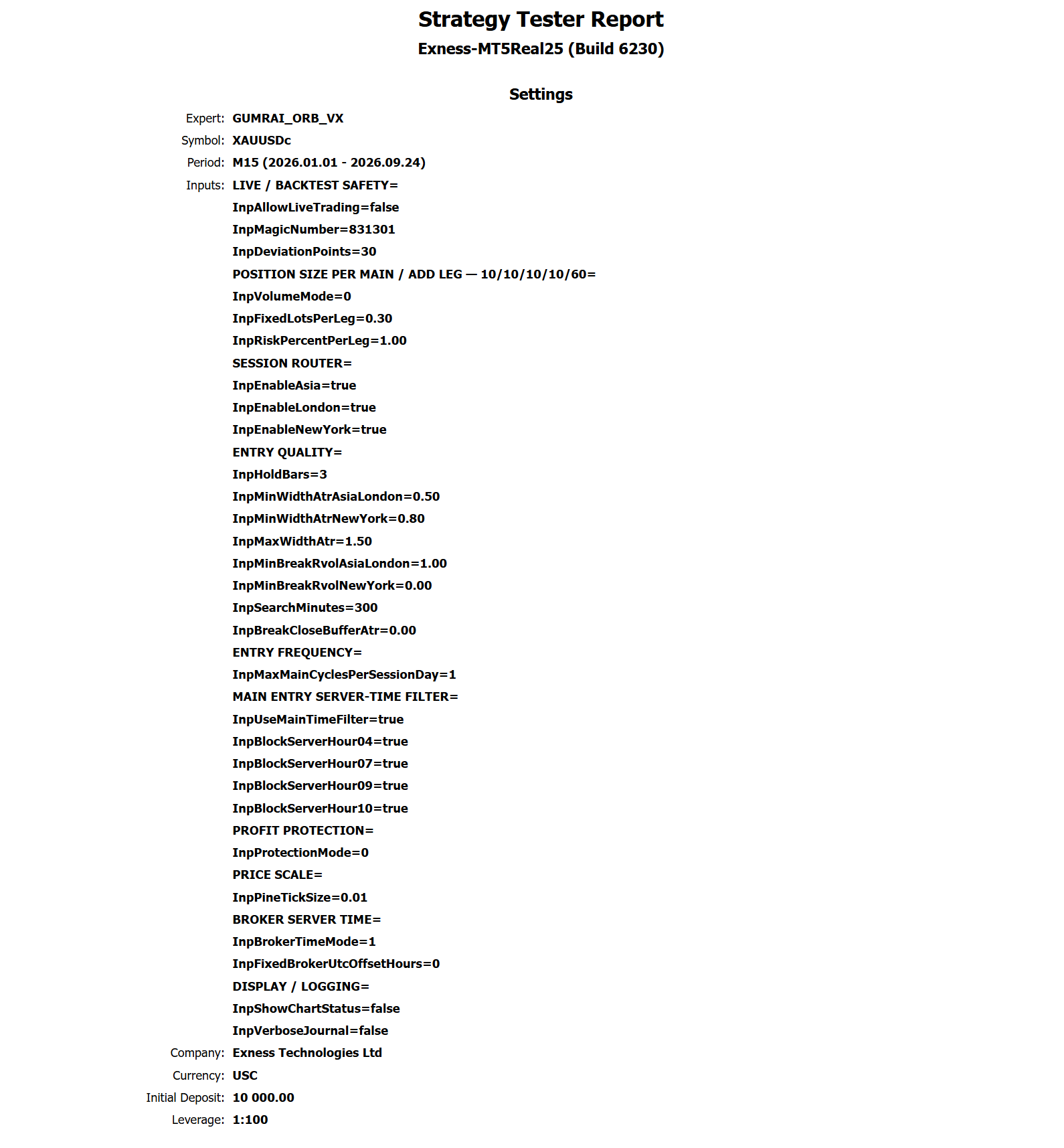
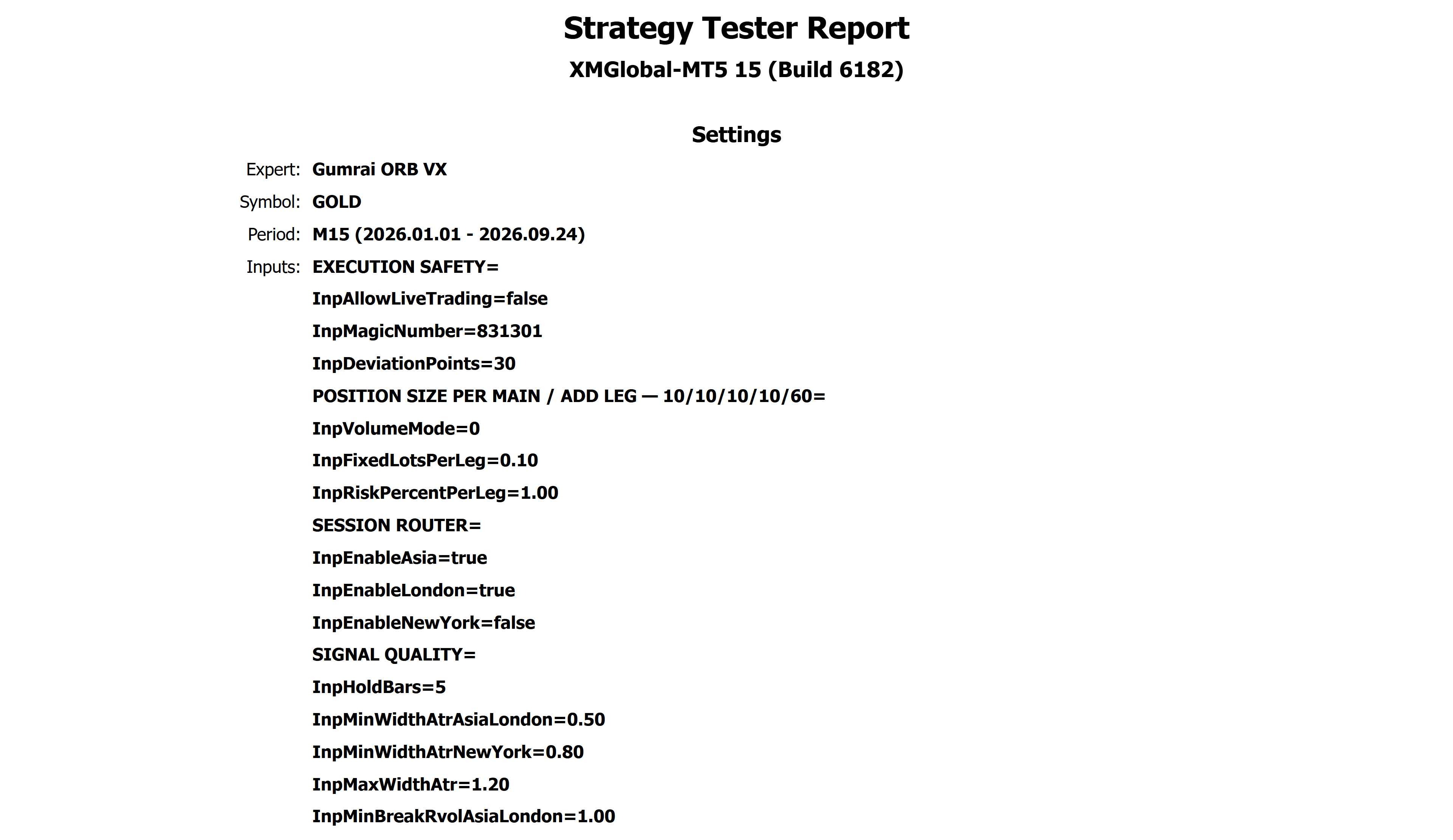
MT5 · EXNESS + XM · XAUUSD M15 · REAL TICKS
The EA reads broker data and manages MAIN / ADD 1 under its own rules. It places protection, reduces exposure at defined stages, and manages the remaining Runner without requiring copy trading.
Every active plan is protected by a System SL and managed toward predefined target levels.
The EA reduces exposure in stages instead of requiring the whole position to close at one price.
A remaining portion can continue under system protection when price extends beyond the staged targets.
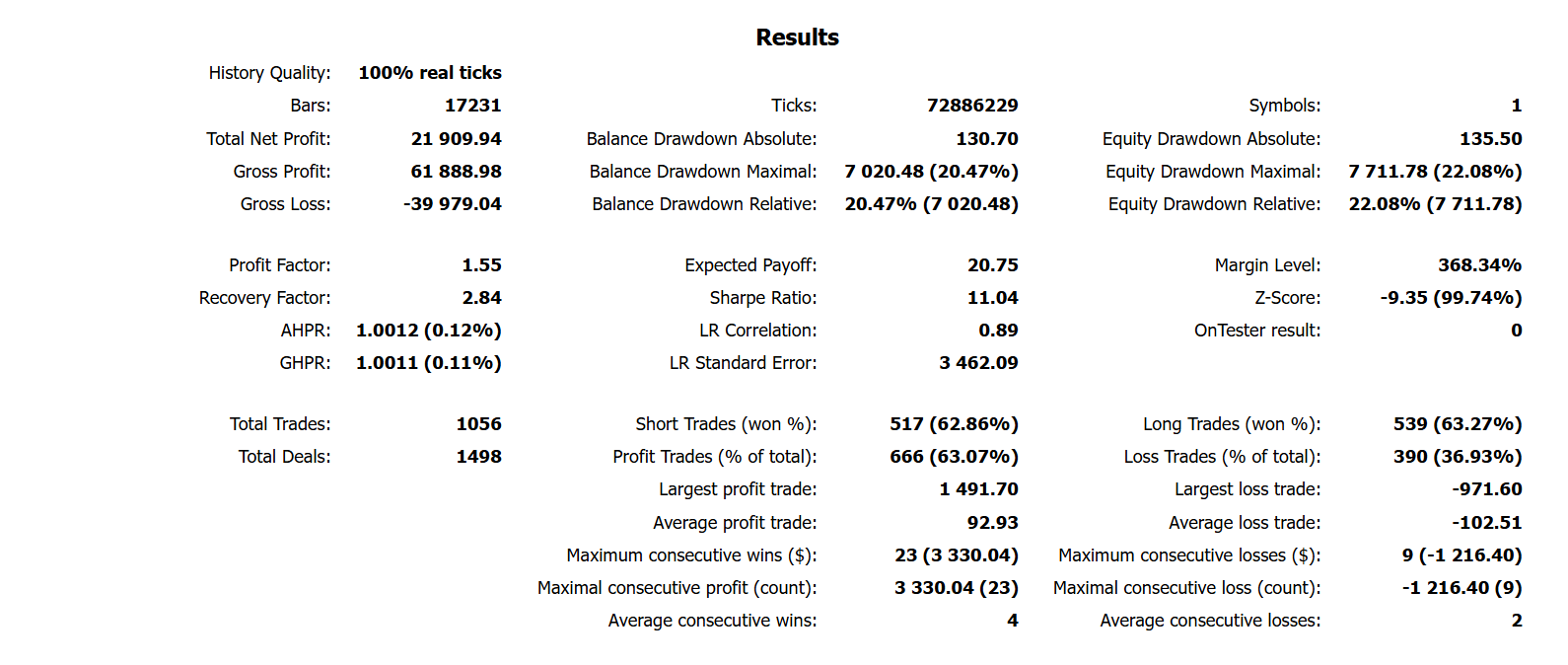
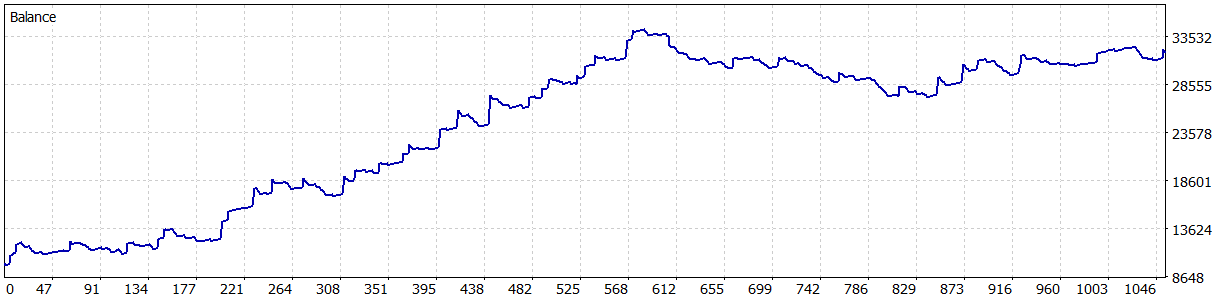
AGGRESSIVE SHOWCASE · CURRENT V1.30 EX5
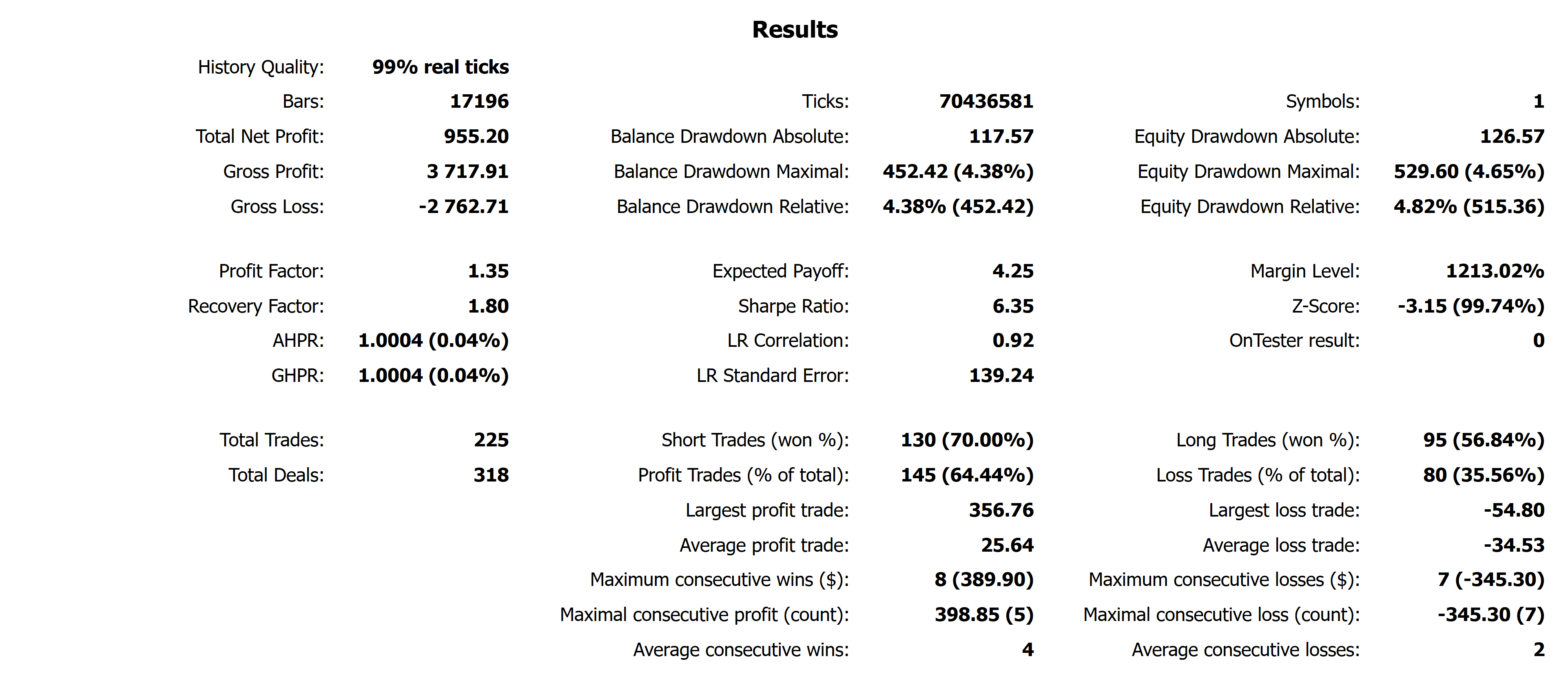
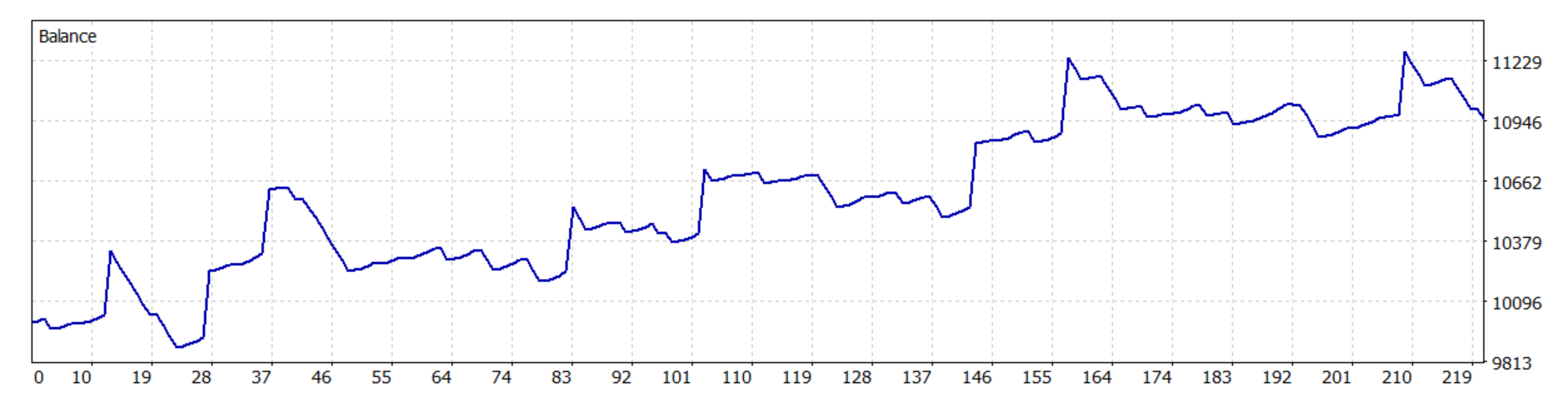
+21,909.94 USC
Net profit from 10,000 USC · 100% real ticks · 1,056 trades
Verified with the exact EX5 delivered to direct customers. This is an optional high-risk historical simulation, not the recommended default or an expected return.
RECOMMENDED PROFILE
0.10 lot
Asia + London · New York off. The recommended starting profile prioritizes lower exposure and cross-broker practicality.
Historical backtests are simulated, are not live account results, and do not guarantee profit. The Exness and XM runs use different account currencies, symbols, tick feeds, session selections, and lot sizes, so their profit figures are not directly comparable. Broker specifications, spread, slippage, liquidity, and execution can materially change results. Broker names identify test environments only; the separately disclosed Exness and XM buttons are partner links, not endorsements or trading recommendations.
MT5 INSTALLATION
Use the file delivered by Gumrai only. Before enabling Algo Trading, confirm the supported symbol, chart timeframe, account mode, lot size, and risk settings, then run a demo test first.
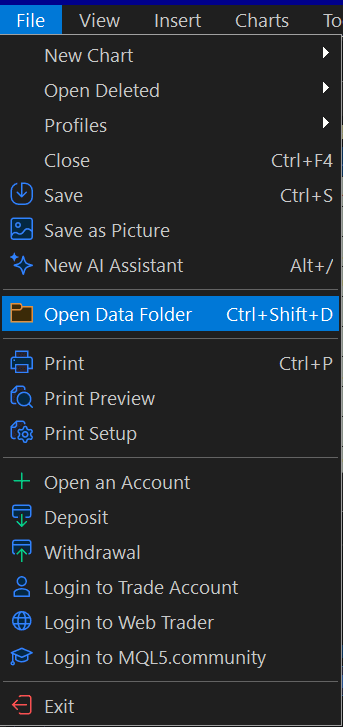
In MT5, choose File → Open Data Folder.
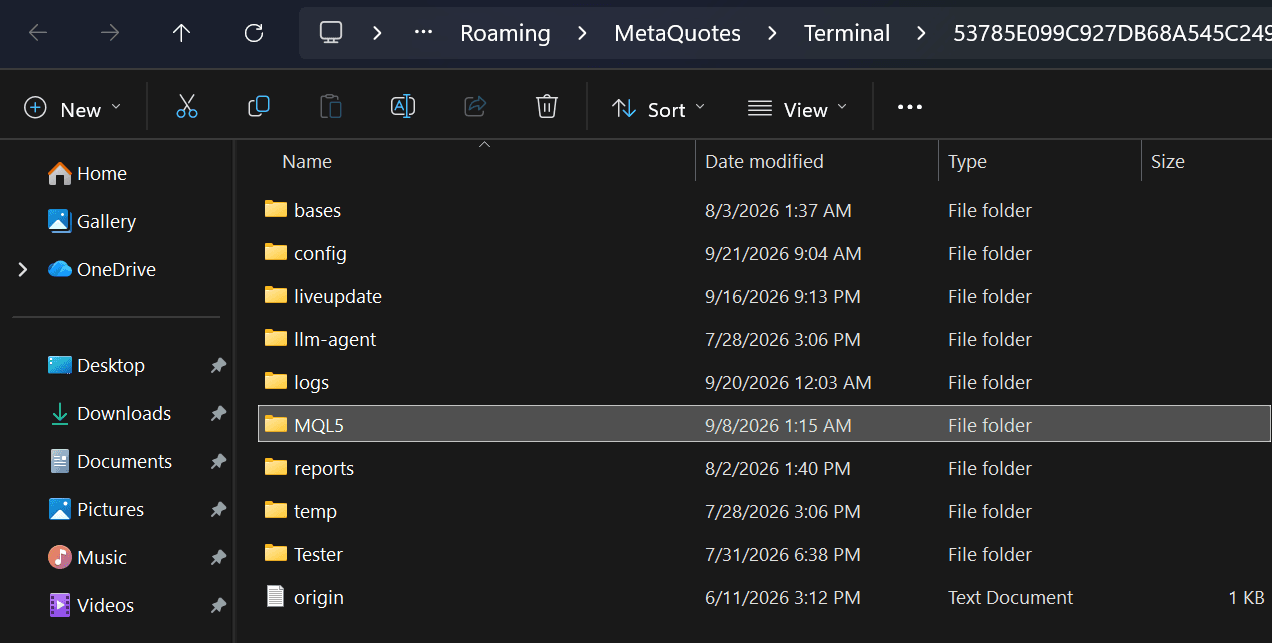
Open the MQL5 folder inside the terminal data directory.
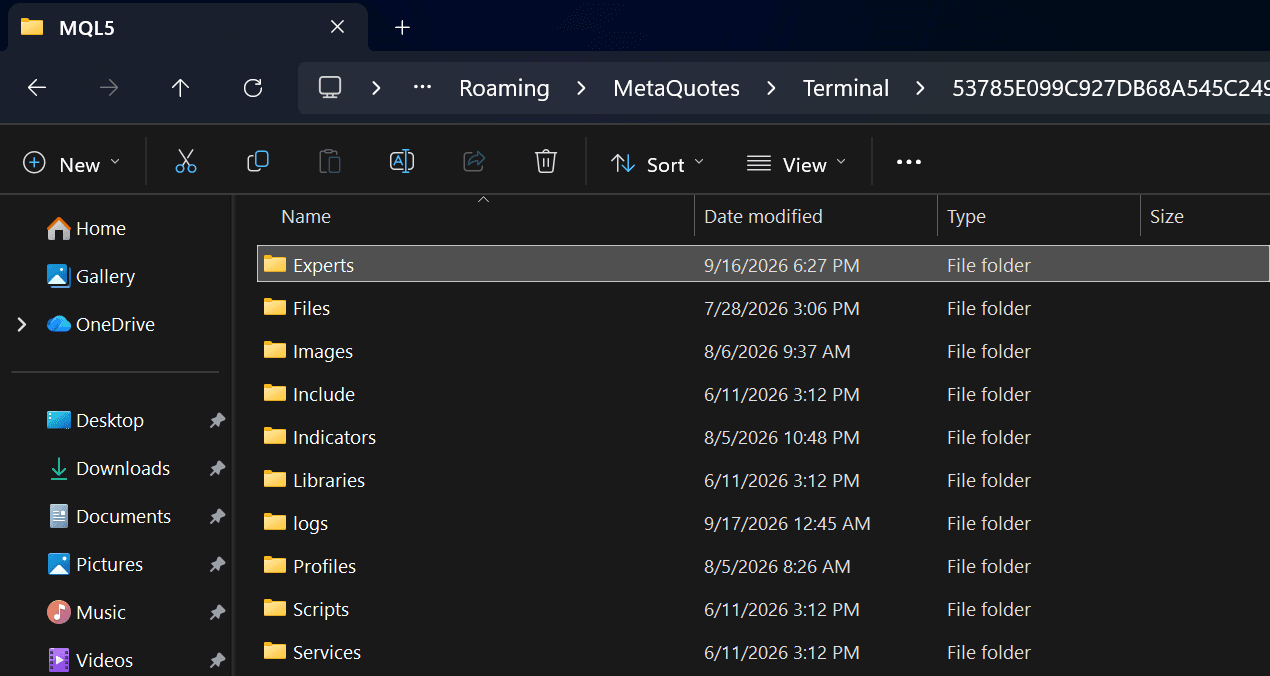
Open Experts, then use a dedicated Gumrai subfolder.
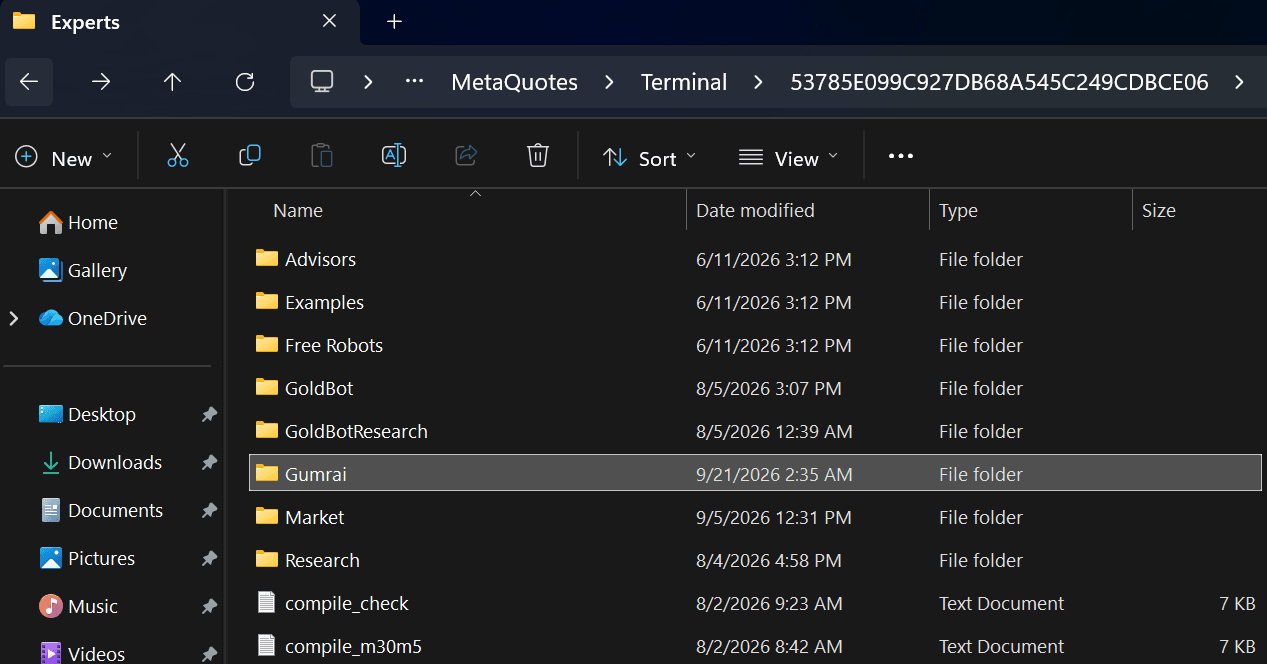
Copy the licensed .ex5 file into Gumrai, refresh Navigator or restart MT5, then attach the EA to a supported chart.
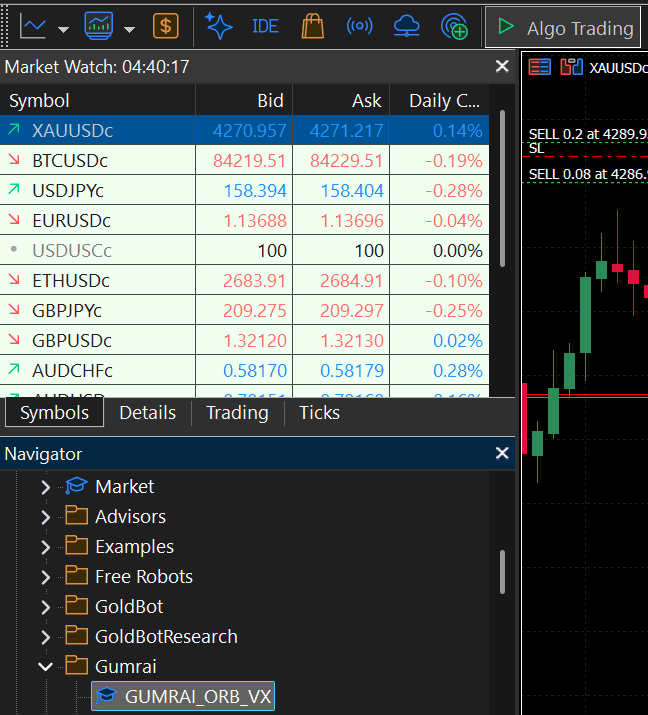
When the EA appears under Navigator → Expert Advisors → Gumrai, open an XAUUSD 15-minute chart, enable Algo Trading, then drag GUMRAI ORB VX EA onto that chart.
After copying, refresh Navigator or restart MT5 so the EA appears under Expert Advisors.
Confirm contract size and lot step with your broker. USC account values are not directly comparable with standard USD accounts.
Start on demo and observe order placement, TP, SL, partial closes, and Runner behavior before live use.
BEFORE LIVE USE
BUY DIRECT FROM GUMRAI
Pay once through Stripe to unlock the protected .ex5 file, plus 90 days of ORB VX Indicator access on TradingView. The access period starts only when Gumrai grants it.
GUMRAI ORB VX EA
Automatic delivery after successful payment
฿1,599
No subscription and no automatic renewal
This tool is not investment advice and does not guarantee outcomes. Verify the symbol, timeframe, spread, account settings, and risk before live use.