PNG to SVG Vector Guide: How to Convert Images for High-Quality Logo and Package Printing
Why Logo Sharpness Matters in the Printing Process for Online Stores
In the digital commerce business, building a professional and trustworthy brand doesn't stop on the customer's smartphone screen. When a customer receives their package, unboxes it, and sees your thank you sticker, custom tape, or branded box, all of those physical touchpoints heavily influence their perception of your brand.
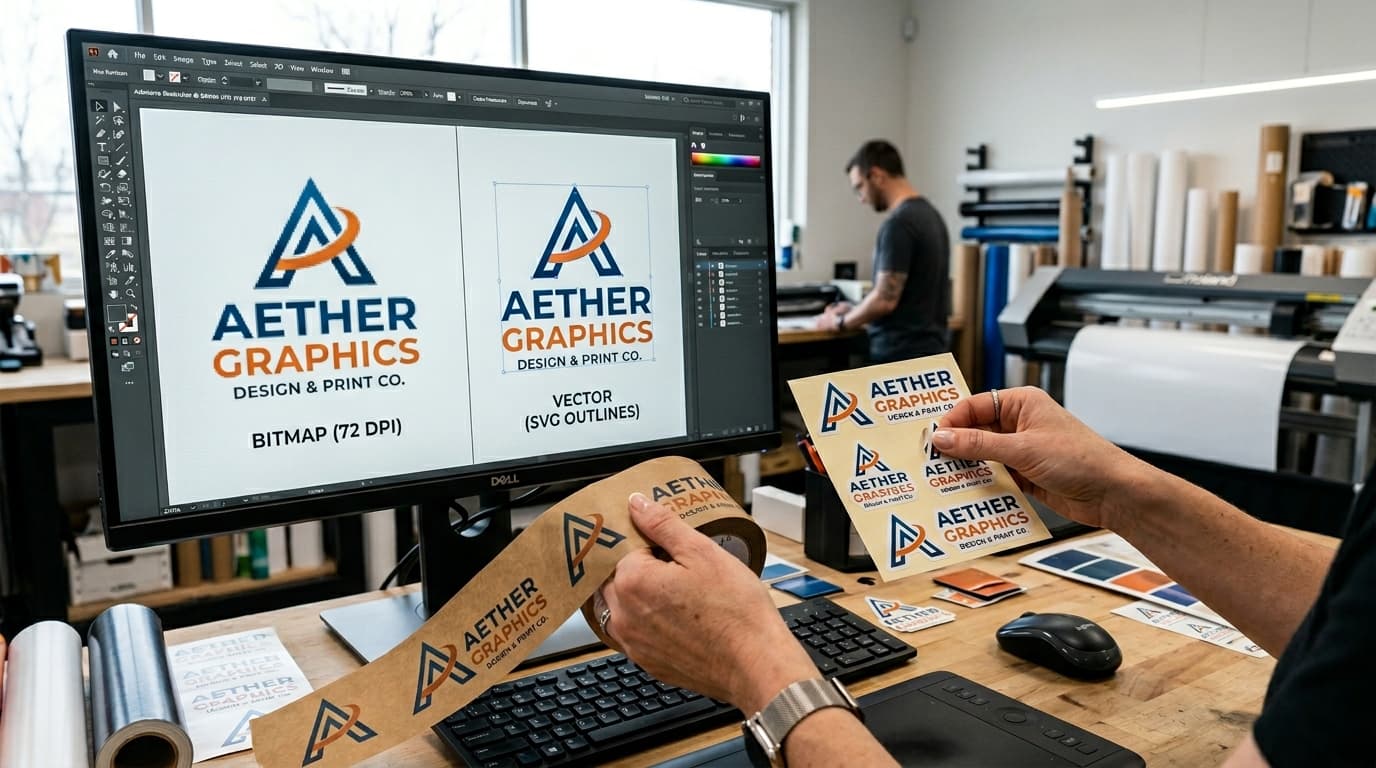
A classic problem many sellers face when ordering custom packaging is **"blurry or pixelated logos"** on the final printed product—even if the original file looked perfectly sharp on their phone screen. This happens because standard images (such as PNG or JPEG) are **Raster images** made up of a fixed grid of pixels. When scaled up for printing, these pixels stretch and create jagged, pixelated edges. Learning how to convert your PNG logo into a vector **SVG (Scalable Vector Graphics)** file is the best solution to keep your designs 100% crisp at any print scale.
Raster (PNG) vs. Vector (SVG) Images: Understanding the Difference
To choose the right file for your tasks, it helps to understand how these formats function:
- Raster Images (PNG, JPEG): Composed of thousands of tiny color pixels. Ideal for rich photographs with high color gradients, but cannot be resized larger than their original dimensions without losing resolution and becoming blurry.
- Vector Graphics (SVG, AI, PDF): Constructed using mathematical formulas representing lines, curves, and points. Because they rely on formulas, vector graphics can be scaled down or up infinitely while remaining 100% sharp and clean. They also boast incredibly small file sizes.
Why Every Online Seller Needs Their Logo in SVG Format
Having a vector SVG copy of your store logo provides several key business advantages:
- Maximum Sharpness for Printing: Commercial printers and sticker cut machines require vector outlines to ensure sharp cuts and precise print lines, minimizing production errors.
- Easy Sizing and Customization: Designers can easily scale your SVG logo to fit letterheads, invoices, shop banners, or printed t-shirts without needing to redraw the logo from scratch.
- Superior Web Performance: Using SVG icons and logos on your website ensures they look incredibly crisp on high-resolution screens (Retina displays) while loading significantly faster than standard raster images.
How to Convert PNG to SVG for Free Using Gumrai
Online sellers can convert their logos or design files from pixels to vectors in seconds using Gumrai's web utilities:
- Open the Tool: Navigate to Gumrai's online PNG to SVG Converter.
- Upload Your Image: Drag and drop your PNG or JPEG logo file. For best results, use a high-contrast logo with a transparent background.
- Convert and Download: The system automatically traces the pixels and generates the vector paths. Click download to save your new SVG file, ready for professional design or commercial printing.
Best Practices for Preparing Images for High-Quality Vector Tracing
Since vector conversion relies on tracing edges from pixel groups, prepare your source image as follows to get clean vector results:
- Use High-Contrast Images: Flat color logos or black-and-white graphics trace perfectly. Avoid complex photographic gradients, as they create too many overlapping vector paths.
- Ensure Adequate Resolution: While SVG handles scaling, the source PNG should not be tiny, allowing the tracing AI to accurately calculate the original outlines.
- Clean Up Artifacts: Remove dust spots, guide lines, or unwanted text from the image before uploading to prevent them from being converted into vector lines.
Frequently Asked Questions (FAQ)
1. Which design programs can open and edit the SVG files I download from Gumrai?
SVG is a standard open format. You can edit it using popular design suites such as Adobe Illustrator, CorelDRAW, Figma, Canva, or standard vinyl cutting software.
2. Does converting a photo to SVG turn it into a cartoon?
No. The tool is designed to trace logo paths and line art. If you upload a standard portrait or landscape photograph, the output will group colors into stylized layers, which is usually not desired for standard photo formats.
3. Can I use SVG files directly on my online store?
Yes. Modern web browsers support SVG directly. It is the recommended format for logos and icons to keep your website loading fast and looking crisp on all devices.
Summary
Converting your store logo from PNG to vector SVG is a fundamental step to ensure your brand looks professional. Whether displaying high-definition logos on your website or sending files to commercial printers for boxes, packaging tape, or labels, SVG guarantees clean, sharp lines without pixelation, reinforcing your online shop's premium brand image.
Want to set more accurate costs and selling prices?
Try Gumrai tools to calculate profit, set prices, and manage back-office tasks to make decisions faster.