How to Upscale and Sharpen Product Images for Shopee, Lazada, and Social Media Without Quality Loss
Why Blurry and Low-Resolution Product Images Kill Store Credibility
In digital commerce, shoppers do not have the opportunity to touch, hold, or examine a physical product. Consequently, they rely completely on your listing photography to evaluate quality, material, and legitimacy. If your product photos on Shopee, Lazada, or Facebook Ads are blurry, pixelated, or heavily compressed, buyers will instantly doubt your store's credibility. They might assume that your items are low-quality counterfeits, or that your store is a scam copying images from other reputable sources.
Understanding how to upscale image online free and recover structural clarity is not just a design enhancement; it is a direct driver of sales conversions and buyer trust. This guide covers how to enlarge your product photos, sharpen fine text details, and remove pixelation, converting amateur snapshots into clean, professional-looking assets.
Understanding Scaling: Simple Stretching vs. Smart Upscaling
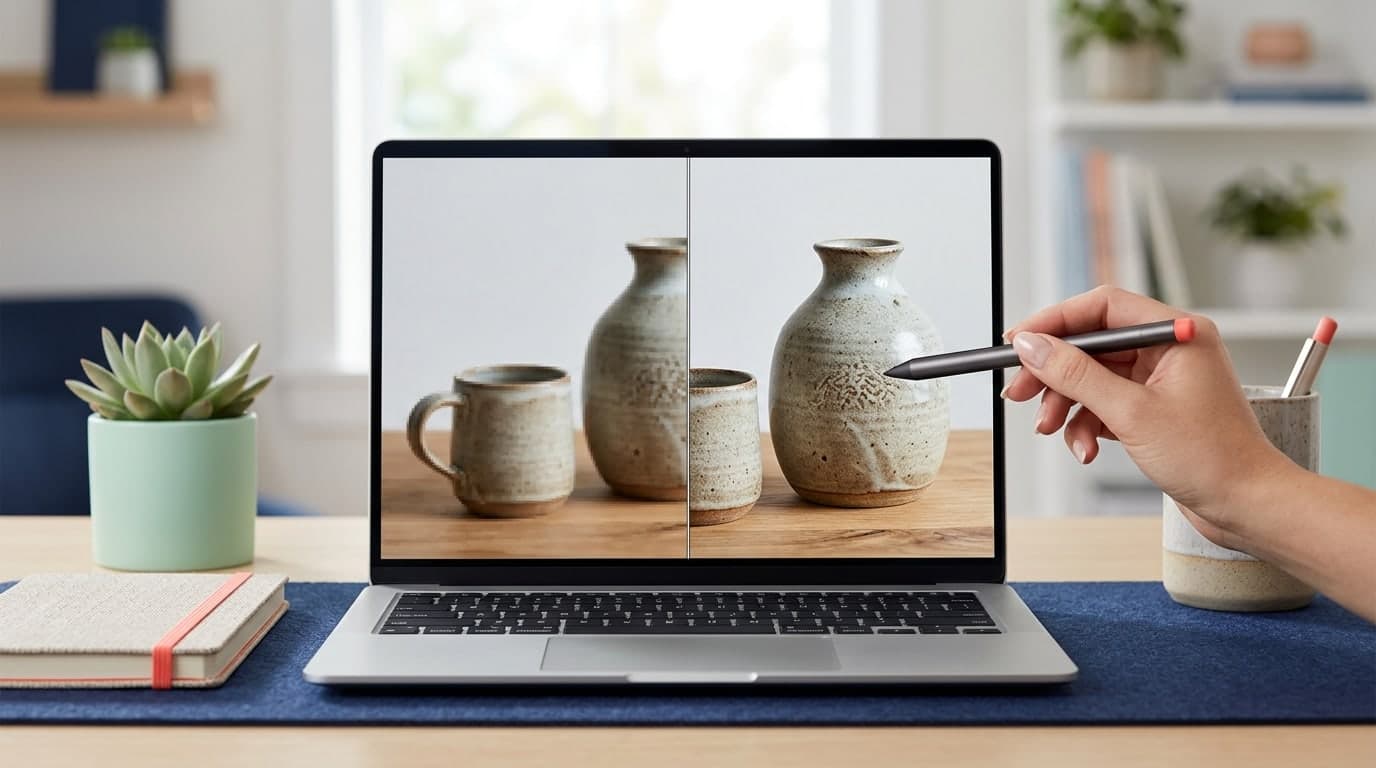
When you expand a small digital image using basic photo software, the program merely stretches the existing pixels and fills the gaps with guessed colors. This simple scaling process leads to blurry edges and fuzzy textures, known as pixelation.
Smart upscaling, on the other hand, utilizes algorithms like Bicubic Interpolation paired with Spatial Sharpening to detect high-contrast edges, lines, and shapes. By analyzing the structural elements of the photo, it sharpens text labels, smooths out rough edges, and reduces digital noise (denoising). This creates a polished, natural enlargement that looks like it was captured at a higher resolution initially.
Critical Factors for Successful Image Enhancement
To achieve the best results when upscaling your product images, pay attention to these source parameters:
- Baseline Focus Quality: Upscalers can sharpen soft edges, but they cannot restore details from photos that are completely out-of-focus or severely shaken. Ensure your original shots are stable and well-focused.
- Source File Quality: Avoid using photos that have been saved and sent multiple times through messaging apps like WhatsApp or LINE. These apps heavily compress images, stripping out details that upscalers need.
- Optimal File Formats: Whenever possible, export your original product shots in lossless formats like PNG rather than compressed JPGs to ensure a cleaner enlargement.
How to Enhance and Upscale Product Photos
You can improve your listing images using several accessible workflows:
1. Mobile Editing Apps
If you edit directly on your phone, utility apps like Lightroom Mobile let you adjust Texture, Clarity, and Sharpening parameters. These edits help refine details on smaller screens before you post listings.
2. Gumrai's Free Browser-Based Upscaler
For online merchants who need a quick, free, and secure solution, Gumrai offers a browser-based Image Upscaling Tool. It processes files locally within your browser, ensuring your business assets remain private:
- Navigate to the Gumrai Upscaling Tool.
- Drag and drop your product image (supports JPG, PNG, and WebP).
- Choose your target multiplier—such as 1.5x or 2x—to reach standard listing sizes (like 800x800 or 1000x1000 pixels).
- Enable the "Denoise & Sharpen" toggle to let our algorithm smooth packaging text and product lines.
- Click "Upscale Image" and download your crisp, high-resolution photo instantly.
Real-World E-commerce Application
Case Study: "Herb Products," a wellness brand, received product photos from their manufacturer that were only 400x400 pixels. On Shopee, these thumbnails looked blurry and untrustworthy. By applying Gumrai's upscaler to double the image size and sharpen the label text, they made the ingredient lists and branding clear. This professional presentation resulted in a 35% increase in click-through rates from search results.
Common Mistakes to Avoid
- Over-Sharpening: Applying too much sharpening creates harsh edges, glowing white artifacts, and unrealistic textures.
Solution: Keep sharpening adjustments moderate and zoom in to verify that textures look natural. - Unrealistic Expectations from Poor Sources: Photos taken in low light or with a dirty lens cannot be fully restored by algorithms.
Solution: Clean your smartphone lens and use bright, natural lighting for your primary shots. - Oversized Output Files: Upscaling images to massive dimensions (like 4000x4000 pixels) for online listings slows down page loading speeds and wastes bandwidth.
Solution: Aim for standard marketplace dimensions of 800x800 to 1200x1200 pixels, which balance details with speed.
Frequently Asked Questions (FAQ)
1. Is there a fee to use Gumrai's Image Upscaler?
No. All tools on Gumrai are completely free for small business owners and run locally in your web browser for security.
2. Will upscaling make my mobile photo look like it was shot on a DSLR?
It enhances details and smooths lines, making small photos look professional online, but it cannot fully replicate the depth of field of high-end camera lenses.
3. Does image resolution affect Google Search SEO?
Yes. Search engines like Google Images prioritize clear, high-quality images that match search queries. Sharp photos also improve user engagement and listing CTRs.
Optimizing Your Storefront Assets
Crisp visual assets are your best tool for converting casual store visitors into paying customers. Dedicating a few minutes to upscaling and verifying your product photos pays off in improved store authority.
Try enhancing your product listings today using Gumrai's Image Upscaling Tool. You can also format your media with our E-commerce Resizer, protect your work with the Watermark Tool, or clean up listing backgrounds using the Background Remover.
Want to set more accurate costs and selling prices?
Try Gumrai tools to calculate profit, set prices, and manage back-office tasks to make decisions faster.