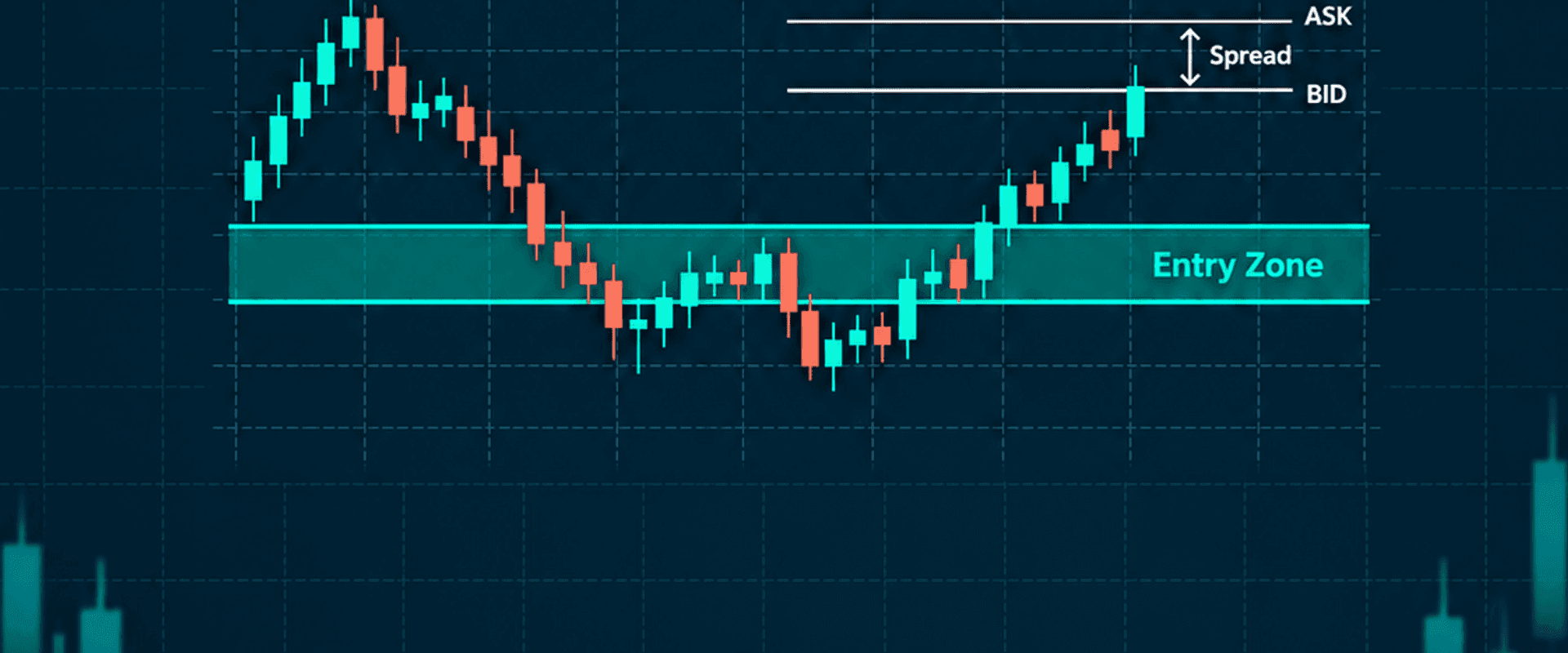
What Is an Entry Zone? Why Your Actual Fill May Differ From the Chart
An Entry Zone is a visible planning area, not a guarantee that every account will receive one exact execution price. Actual fills still depend on Bid and Ask, spread, order type, broker execution mode, liquidity, and market conditions.
What is an Entry Zone?
An Entry Zone marks the price area associated with a plan. It helps users prepare conditions in advance: whether to wait for price to enter the area, where the idea becomes invalid, and whether the distance to the stop fits their account risk.
GUMRAI ORB VX displays the Entry Zone, System SL, and target levels on TradingView. The indicator does not place, modify, or close MT4/MT5 orders. Chart levels describe the plan; they are not evidence that a brokerage account received the same fill.
Why Buy and Sell use different prices
MetaTrader 5 documentation states that a purchase is generally executed at Ask, while a sale is executed at Bid. The difference is the spread. A candle or chart line may therefore show a different side of the market from the price used to open or close your position.
Spread and execution
Spread can widen during major news, rollover, or thin liquidity. A wider spread changes entry cost and the actual distance from the fill to System SL and targets. A touch of the Entry Zone alone is not enough to confirm that execution conditions are acceptable.
Market and pending orders
A market order asks the broker to execute at the available market price under the symbol's execution mode. With Market Execution, the broker determines the execution price while processing the order. A pending order defines conditions in advance, but execution is still not guaranteed. Orders can be partially filled, rejected, or left unfilled depending on liquidity, margin, and server rules.
Slippage and chasing price
Slippage is the difference between the expected price and the actual fill. It is more visible in fast-moving markets. If price has already moved far beyond the Entry Zone, a later entry can widen the distance to the stop and reduce the distance to the target, changing the original risk-to-reward structure.
Checklist before placing an order
- Check both Bid and Ask.
- Confirm the current spread.
- Review the order type and execution mode.
- Match the correct Entry Zone and System SL to MAIN or ADD 1.
- Size the position from the actual expected fill and invalidation point.
- Recalculate risk-to-reward if price has left the zone.
- Test broker behavior on demo before trading live.
Explore GUMRAI ORB VX, read the visual user guide, and review market context in the Gumrai Live Desk.
Conclusion
An Entry Zone makes the plan area visible. It does not guarantee an identical fill for every account. Always verify Bid/Ask, spread, order type, expected execution price, and stop distance using your own account conditions.
Trading involves risk. Study the information before making an investment decision. This material is educational and is not a recommendation to buy or sell.
Sources
Ready to make your XAUUSD plan visible before you trade?
Explore GUMRAI ORB VX for structured Entry, System SL and target levels, then review live market context in the Live Desk.