A
ENGINE A
3 strategy routes
EURUSD
Previous-Day Sweep · M5
USDJPY
Asia Continuation · H1
USDCAD
New York Sweep · M5
Two strategies. One shared risk system.
One EA file running two independent engines across four FX pairs and six strategy routes, with portfolio-wide risk controls managed from one place.
PORTFOLIO ARCHITECTURE
Engine A and Engine B may hold the same symbol and direction at the same time when both strategies qualify. This is intentional strategy overlap, not an accidental duplicate order.
ENGINE A
3 strategy routes
Previous-Day Sweep · M5
Asia Continuation · H1
New York Sweep · M5
ENGINE B
3 strategy routes
ORB VX · M1 / M15
ORB VX · M1 / M15
ORB VX · M1 / M15
RISK CONTROLS
Limits total open-position risk across the portfolio
Stops new entries after a configured loss limit is reached
Caps total positions and USD-linked exposure
Finds broker symbols, including common suffixes, automatically
LIVE OPERATION
DUO FX does not copy signals between engines. It runs two rule sets in one account. Each route has its own entry logic, exit timing, and magic number, then passes through the same portfolio gate before an order is sent.
Order size is calculated from equity, stop distance, and the configured FX risk percentage
ORB route size is controlled from one input while each route manages its own positions
Both engines may trade the same symbol and direction with separate magic numbers and management
Late-Friday admissions are blocked and weekend handling follows frozen system rules
CUSTOMER CONTROLS
ENFORCED SIZING RULES
FX risk per trade
Default 0.50%. The accepted range is above 0 and no more than 1.50%; 5% is rejected and the EA will not initialize.
ORB lots per MAIN / ADD leg
This is a fixed lot per leg, not a risk percentage. It is rounded down to a whole multiple of 10 broker volume steps and capped at the broker volume maximum. Fewer than 10 steps produces no ORB entry (for example, a 0.01 step requires at least 0.10 lot).
Portfolio open-risk cap
Default 3.00%. Before every entry, estimated loss to SL for open positions plus the proposed order is checked. An order above the cap is blocked; its lot is not reduced automatically.
Frozen safeguards
At 20% drawdown the FX-engine risk budget is halved; at 30% new plans are paused. Other defaults are 9 total positions, 9 USD-linked positions, a 4.50% daily lock, and a 9.00% weekly lock.
VALIDATION EVIDENCE
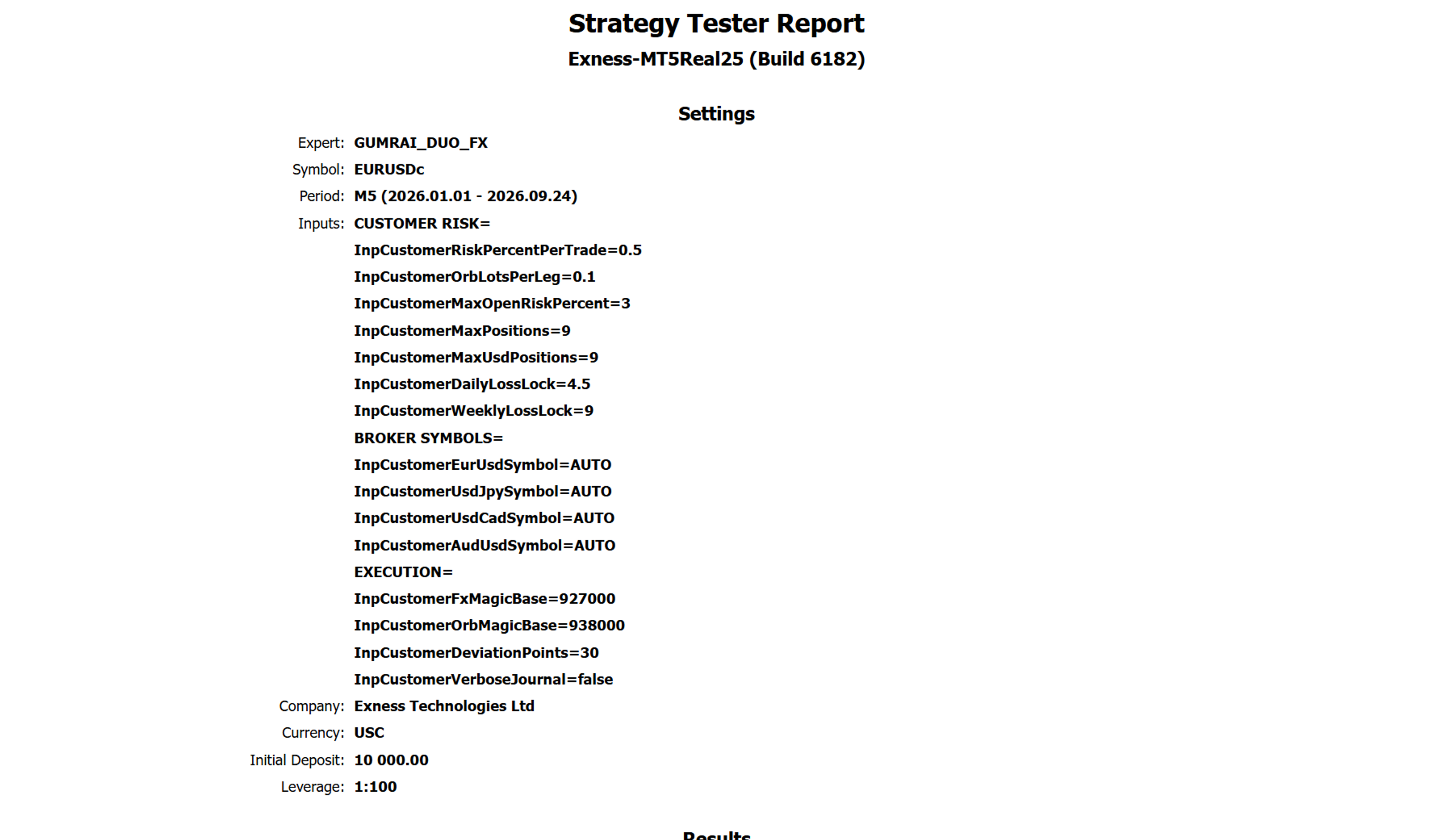
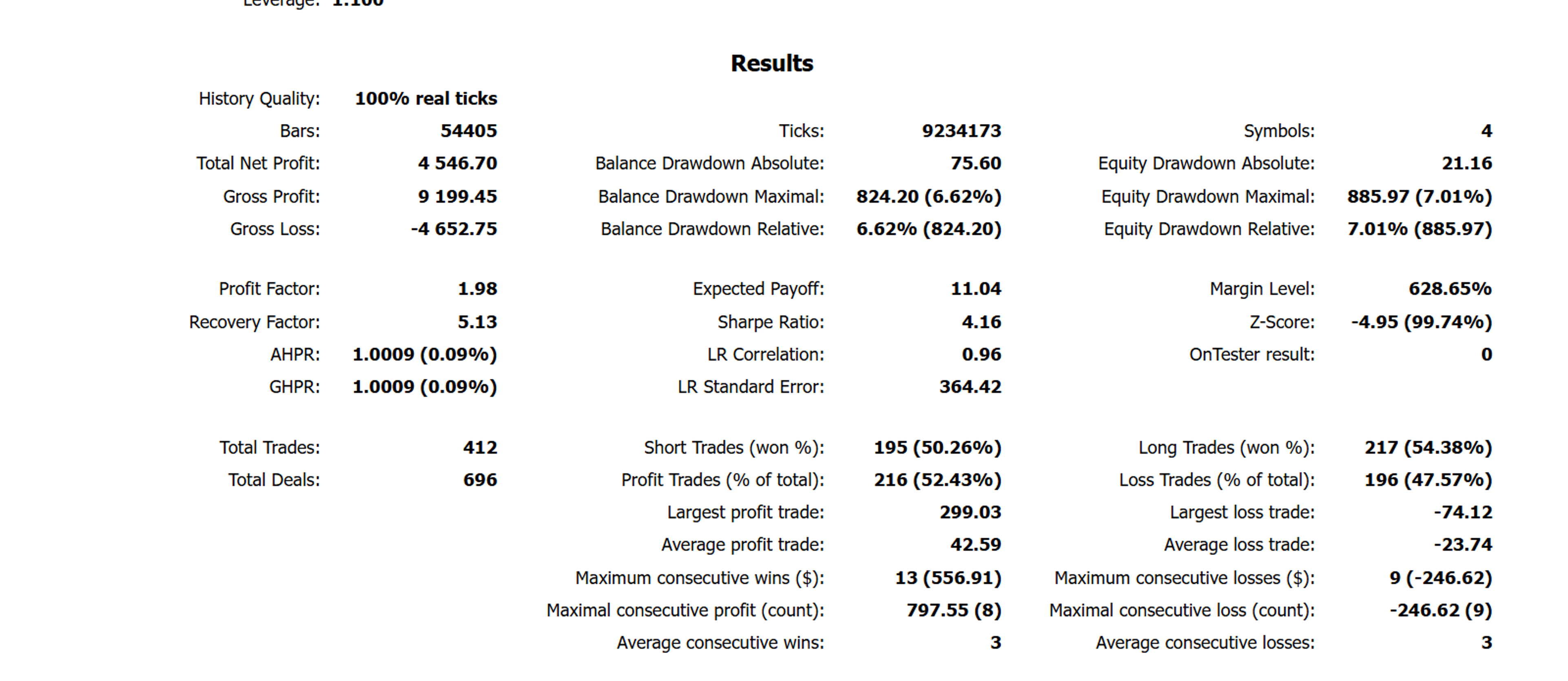
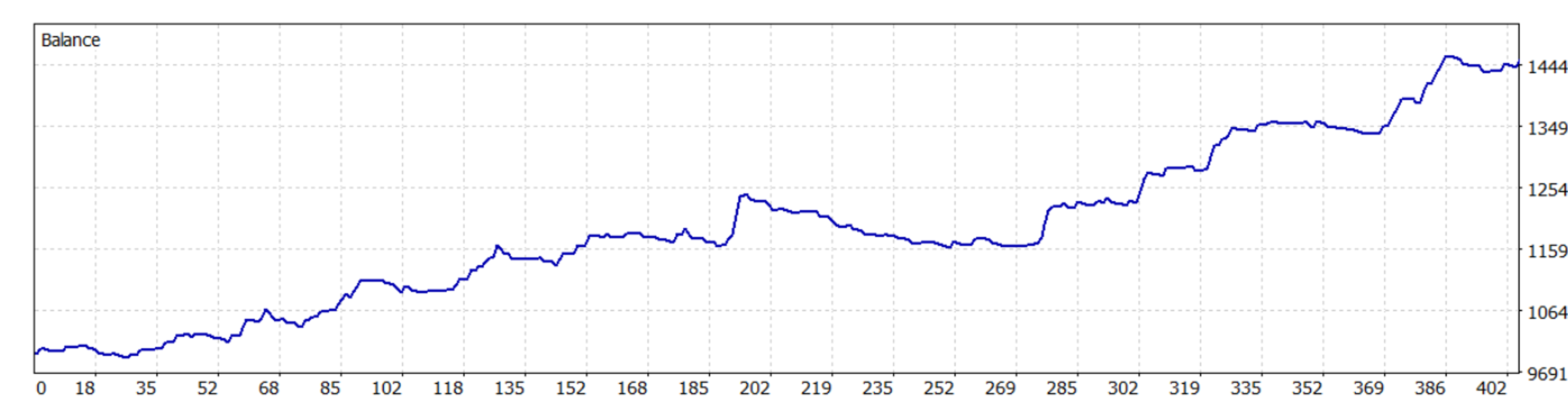
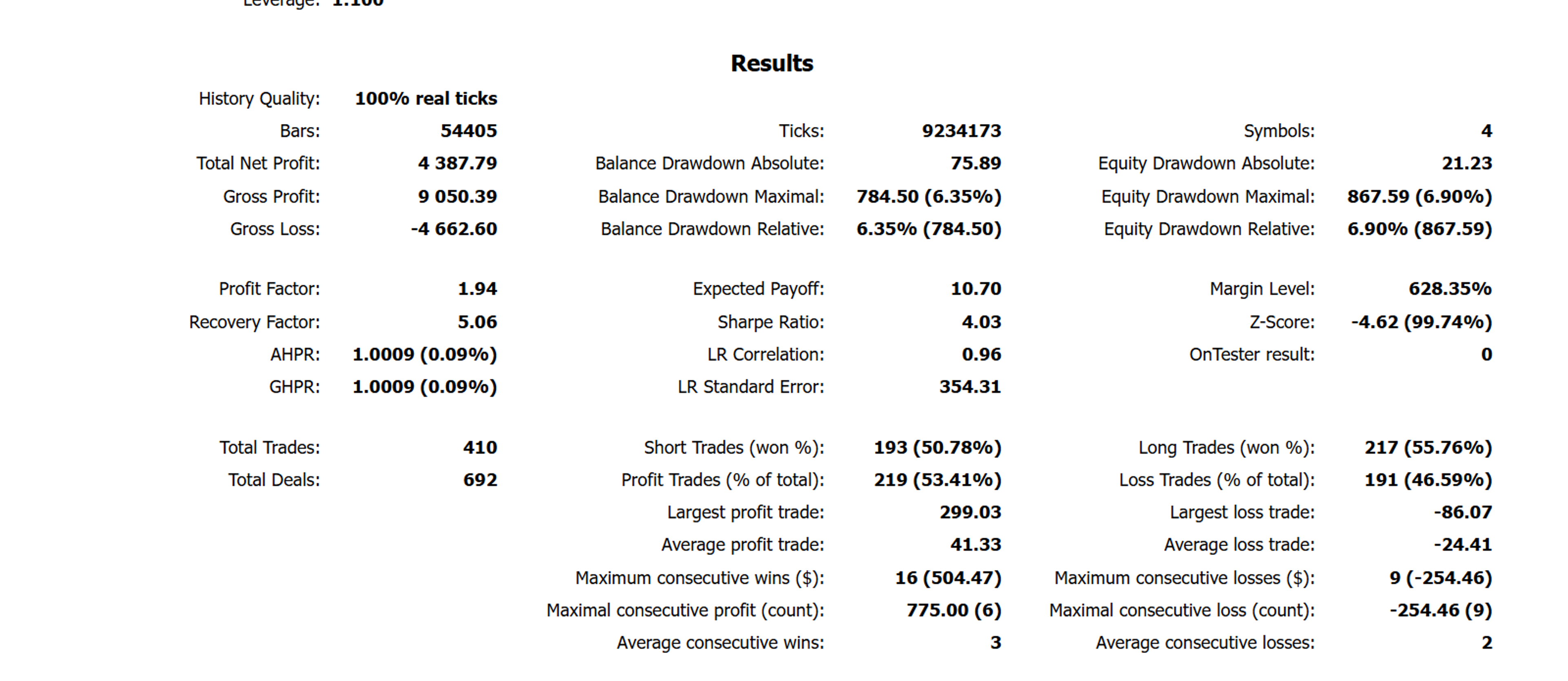
These are historical simulations of the same rule set shipped in the customer file. They are not a profit guarantee. Live outcomes vary with spread, slippage, liquidity, broker execution, and account settings.
Test period
1 Jan–24 Sep 2026
Real tick · No delay
412 trades · PF 1.98
Max equity DD
7.01%
Random delay
410 trades · PF 1.94 · DD 6.90%
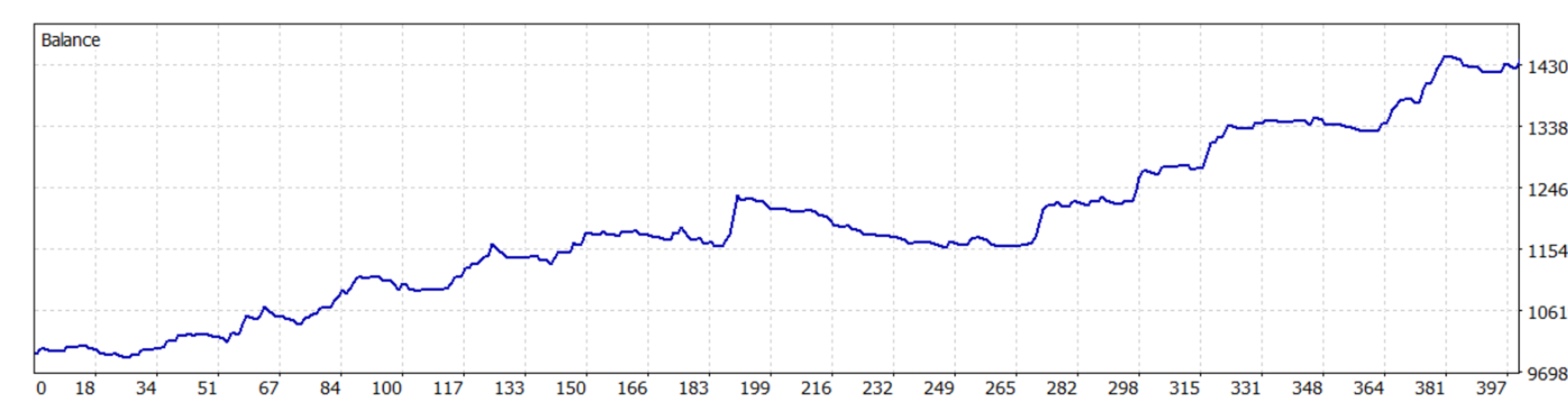
These are historical simulations of the same rule set shipped in the customer file. They are not a profit guarantee. Live outcomes vary with spread, slippage, liquidity, broker execution, and account settings.
MetaTrader 5 and a hedging account are required
Install GUMRAI_DUO_FX.ex5 and attach it to one chart per account
Enable Algo Trading and keep symbols on AUTO for broker suffix support
Start on Demo and verify lot size, spread, and contract specifications before live use
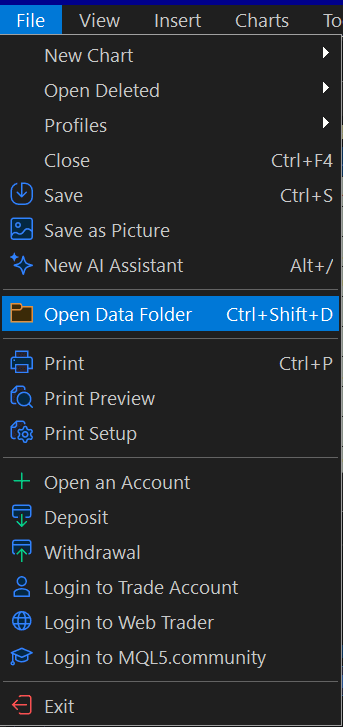
In MetaTrader 5, choose File → Open Data Folder.
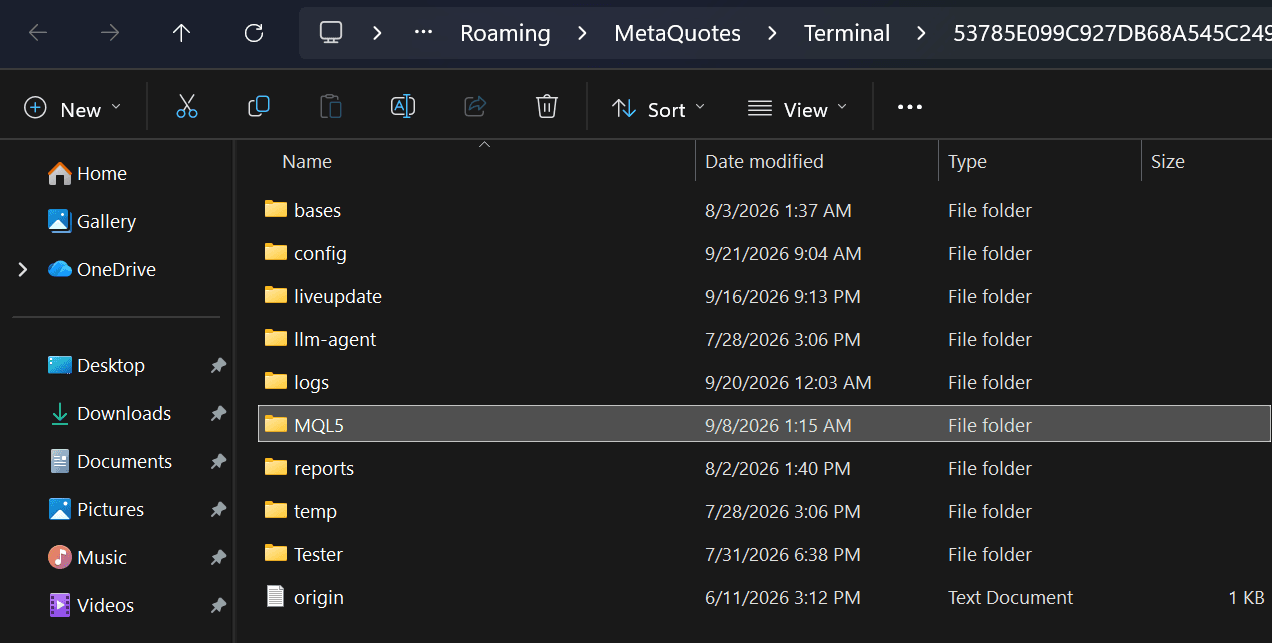
Open the MQL5 folder inside the terminal data directory.
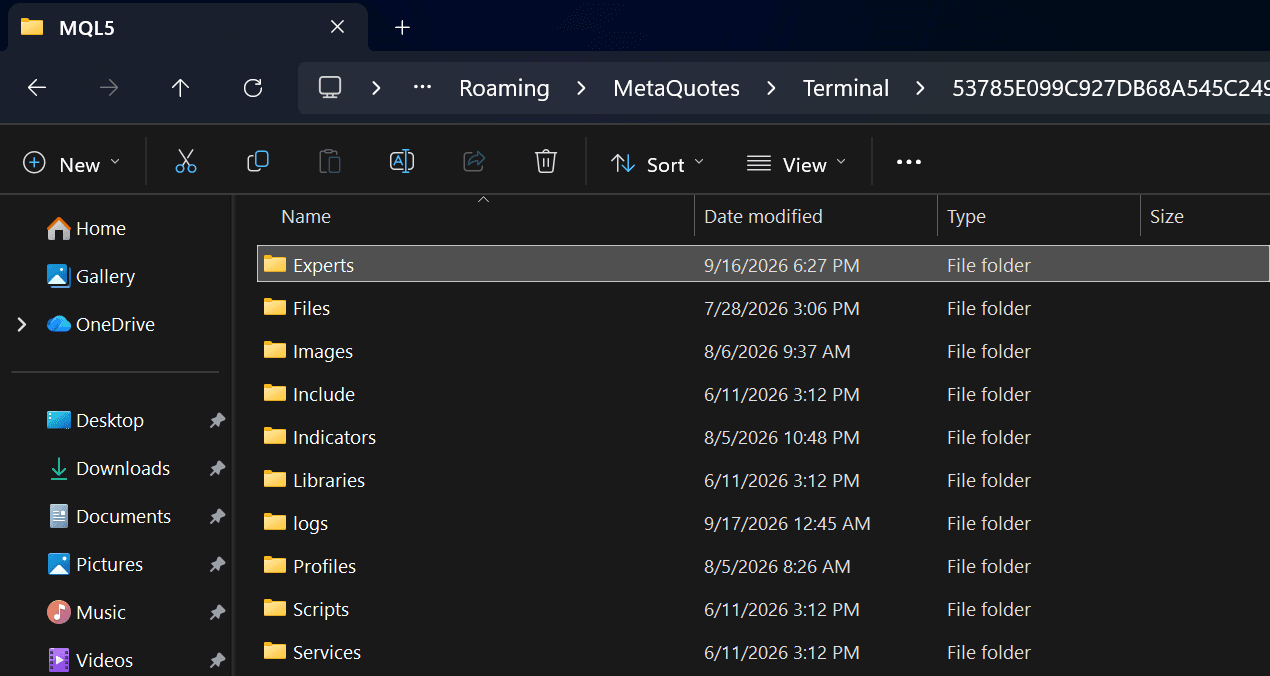
Open Experts, the location used for Expert Advisors.
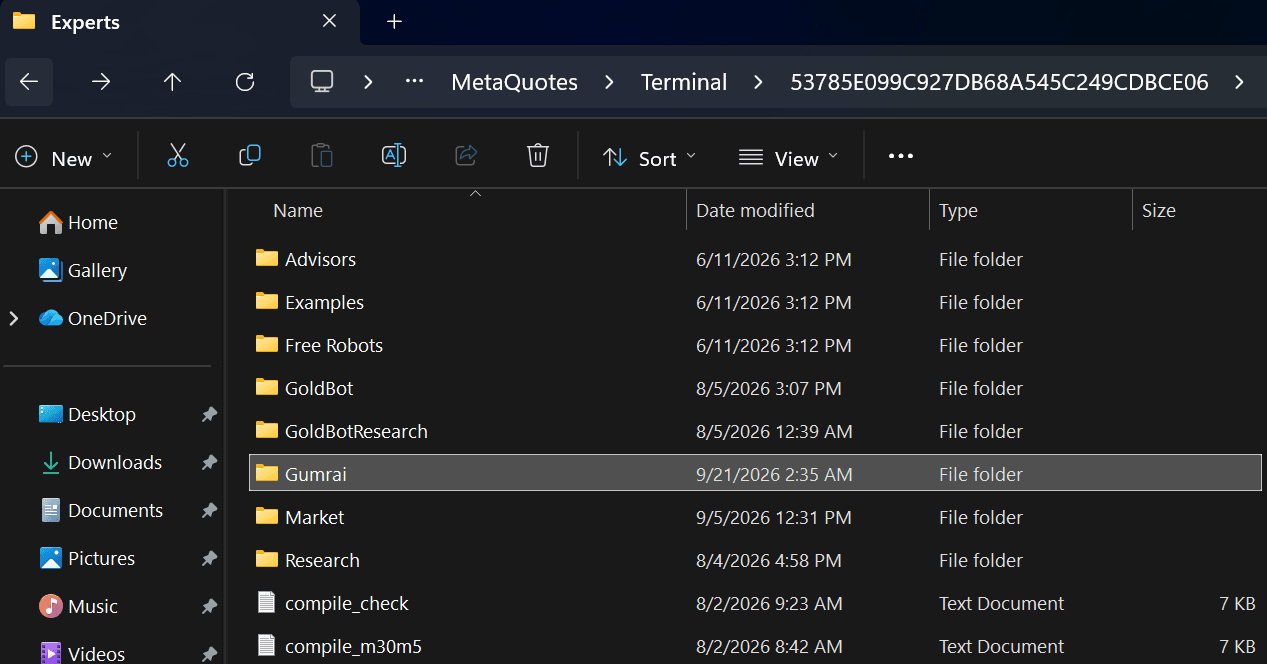
Copy GUMRAI_DUO_FX.ex5 into Gumrai, then refresh Navigator or restart MT5.
BEFORE LIVE USE
BUY DIRECT FROM GUMRAI
One-time payment with no automatic renewal. After payment confirmation, the EX5 is delivered by email, remains available in your purchase library, and includes 90 days of ORB VX Indicator access on TradingView.
GUMRAI DUO FX v1.00
MetaTrader 5 · EX5
Single-buyer license. Redistribution, sharing, and resale are prohibited.
฿2,490
One-time payment · no monthly subscription
The EA is not investment advice and does not guarantee outcomes. Test on Demo and choose risk settings appropriate for your account before live trading.